Step 1 of 5
Create a Gmail (Google) account
Setting up a dedicated Gmail for each localized account keeps things tidy. The steps below follow Google’s official sign-up flow.
Pathaccounts.google.com/signupCreate accountFor my personal use
0 of 8 done
- 1
Sign out of your current account
Before creating a new account, sign out of the Google account you are currently signed in to. This keeps multiple accounts from getting mixed up.
- 2
Open the sign-up page
In your browser, go to the Google account sign-in page and choose Create account › For my personal use.
accounts.google.com/signup - 3
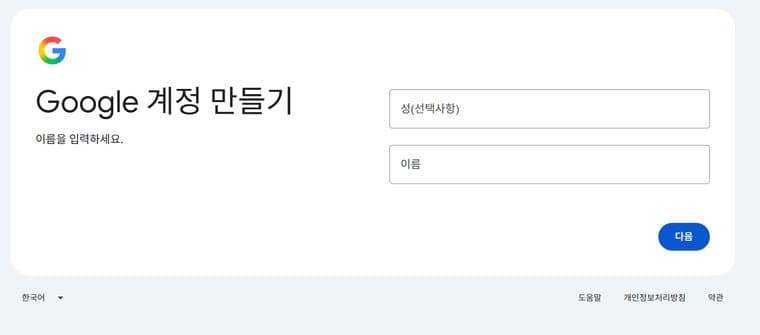
Enter your name
Enter your last name (optional) and first name, then tap Next. Choosing a name that fits the target country and purpose makes the account easier to manage later.
1Enter your name2Tap Next - 4
Enter birthday and gender
Fill in your basic information and continue.
- 5
Choose your Gmail address (username)
Google shows suggested addresses. Pick one, or choose Create your own and type the address you want. Addresses that are already taken can’t be selected.
Example of a taken name: example@gmail.com can’t be used if it’s already in use - 6
Set a password
Create a strong password mixing upper- and lower-case letters, numbers and symbols, then type it again in the confirm field.
- 7
Verify your phone number (if asked)
To confirm it’s you, receive a verification code on your phone and enter it. A recovery email is optional, but adding one makes account recovery easier.
- 8
Agree to the terms → done
Agree to the privacy policy and terms, and your account is created.
The username you chose in step 5 becomes your email address as is.
Tip
It helps to set an easy-to-recognize username rule for each localized account. Add a country code after your brand name — like brand.jp@gmail.com or brand.vn@gmail.com — and you can tell at a glance which country each one is for.